Enforcing Deployment Promotion with Custom Deployment Protection Rules
Using a Custom Deployment Protection Rule (GitHub App) to enforce environment promotion ordering and ServiceNow change ticket validation across any workflow, in any repo
Overview
One question I get a lot from enterprise customers: “How do I enforce that an artifact goes through Dev → QA → Staging → Production in order?” The ask is simple; the constraints around it usually aren’t: 1,500+ repos where every team writes their own workflows, no centralized reusable workflows to hook into, a ServiceNow change ticket required for prod, deployments to both on-prem (OpenShift) and cloud (Azure), and a separate team that owns production approvals.
GitHub Environments cover a lot of this with required reviewers, wait timers, and branch restrictions, but none of the built-in rules can answer “was this exact SHA deployed to QA before Staging?” That needs custom logic.
That’s where Custom Deployment Protection Rules come in. You build a GitHub App, attach it to the environments you care about, and GitHub calls your app every time a deployment targets one of those environments. Teams don’t change anything in their workflows; the gate fires at the environment level.
This post came out of a demo I put together for a financial institution customer. They wanted more controls baked into the deployment process itself, so teams couldn’t skip steps, whether by accident or on purpose, rather than relying on everyone to follow the rules.
Custom Deployment Protection Rules are available in public repositories for all plans. For private/internal repositories, you need GitHub Enterprise.
All the demo code is on GitHub:
deployment-gate-demo- the gate appdeployment-gate-app-demo- sample team workflow
How It Works
The flow:
- A workflow targets an environment (e.g.,
environment: Production-East) - GitHub sees the protection rule attached and sends a
deployment_protection_rulewebhook to your app - Your app runs whatever checks you want
- Your app responds with
approvedorrejectedvia the Deployments API - GitHub allows or blocks the deployment
Any workflow using environment: triggers the gate. Teams don’t add enforcement logic; it’s all handled at the environment level.
The Demo Gate App
The gate app is a small Express app that does two checks.
1. Prior environment deployment (SHA-based)
The gate queries the GitHub Deployments API to verify the exact SHA being deployed already has a successful deployment in the required prior environment:
1
GET /repos/{owner}/{repo}/deployments?environment={prior_env}&sha={current_sha}
This is strict on purpose. If SHA abc1234 was deployed to Dev last week and you’re trying to deploy SHA def5678 to QA today, the gate rejects. The same SHA must walk through each environment in order.
A
failurestatus doesn’t count. If a deployment to QA exists but failed, the gate will reject promotion to Staging with: “SHAabc1234has deployments to ‘QA’ but none with a success status.”
2. ServiceNow change ticket validation
For production environments, the gate looks for a ServiceNow change ticket, checking the workflow’s workflow_dispatch inputs first and falling back to the run’s display title (via run-name:), then validates it against ServiceNow’s API. No ticket or an unapproved ticket means rejection.
Setting It Up
The gate app repo (deployment-gate-demo) has a setup.sh that walks you through the GitHub App manifest flow, so I won’t repeat all of that here. The interesting part is the config.
The environment hierarchy lives in config.yml:
1
2
3
4
5
6
7
8
9
10
11
12
13
14
15
16
17
18
19
20
21
environments:
  Dev:
    order: 1
    requires_prior: null
    requires_change_ticket: false
  QA:
    order: 2
    requires_prior: Dev
    requires_change_ticket: false
  Staging:
    order: 3
    requires_prior: QA
    requires_change_ticket: false
  Production-East:
    order: 4
    requires_prior: Staging
    requires_change_ticket: true
  Production-Central:
    order: 4
    requires_prior: Staging
    requires_change_ticket: true
If an environment name isn’t in the config, the gate auto-approves. That makes gradual adoption easy: only environments you explicitly configure are gated.
Once the app is running, attach the protection rule to each environment in the UI (Settings → Environments → enable the gate app), or do it via API:
1
2
3
gh api -X POST \
  "repos/{owner}/{repo}/environments/{env}/deployment_protection_rules" \
  -F integration_id=YOUR_APP_ID
What a Team’s Workflow Looks Like
The team workflow has no enforcement logic in it (this is the point!):
1
2
3
4
5
6
7
8
9
10
11
12
13
14
15
16
17
18
19
20
21
22
23
24
25
26
27
28
name: Deploy

on:
  workflow_dispatch:
    inputs:
      release_tag:
        description: "Release tag to deploy"
        required: true
        type: string
      environment:
        description: "Target environment"
        required: true
        type: choice
        options: [Dev, QA, Staging, Production-East, Production-Central]
      change_ticket:
        description: "ServiceNow change ticket (required for Production)"
        required: false
        type: string

run-name: "Deploy ${{ inputs.release_tag }} to ${{ inputs.environment }} ${{ inputs.change_ticket }}"

jobs:
  deploy:
    runs-on: ubuntu-latest
    environment: ${{ inputs.environment }}  # this is what triggers the gate
    steps:
      - name: Deploy
        run: echo "Deploying ${{ inputs.release_tag }} to ${{ inputs.environment }}..."
Pick a release tag, pick an environment, optionally pass a change ticket. The Custom Deployment Protection Rule fires automatically. There’s a more complete sample (with artifact download, etc.) in deployment-gate-app-demo.
The Gate in Action
A successful deployment to QA after Dev:
1
2
3
4
5
6
7
8
9
10
Deployment Protection Rule - Request Received
  Repository:  joshjohanning-org/deployment-gate-app-demo
  Environment: QA
  SHA:         a92a500

  Check 1: Prior environment 'Dev' deployment...
    PASS: Found successful deployment of SHA `a92a500` to 'Dev'.
  Check 2: Change ticket not required — PASS

  Final decision: APPROVED
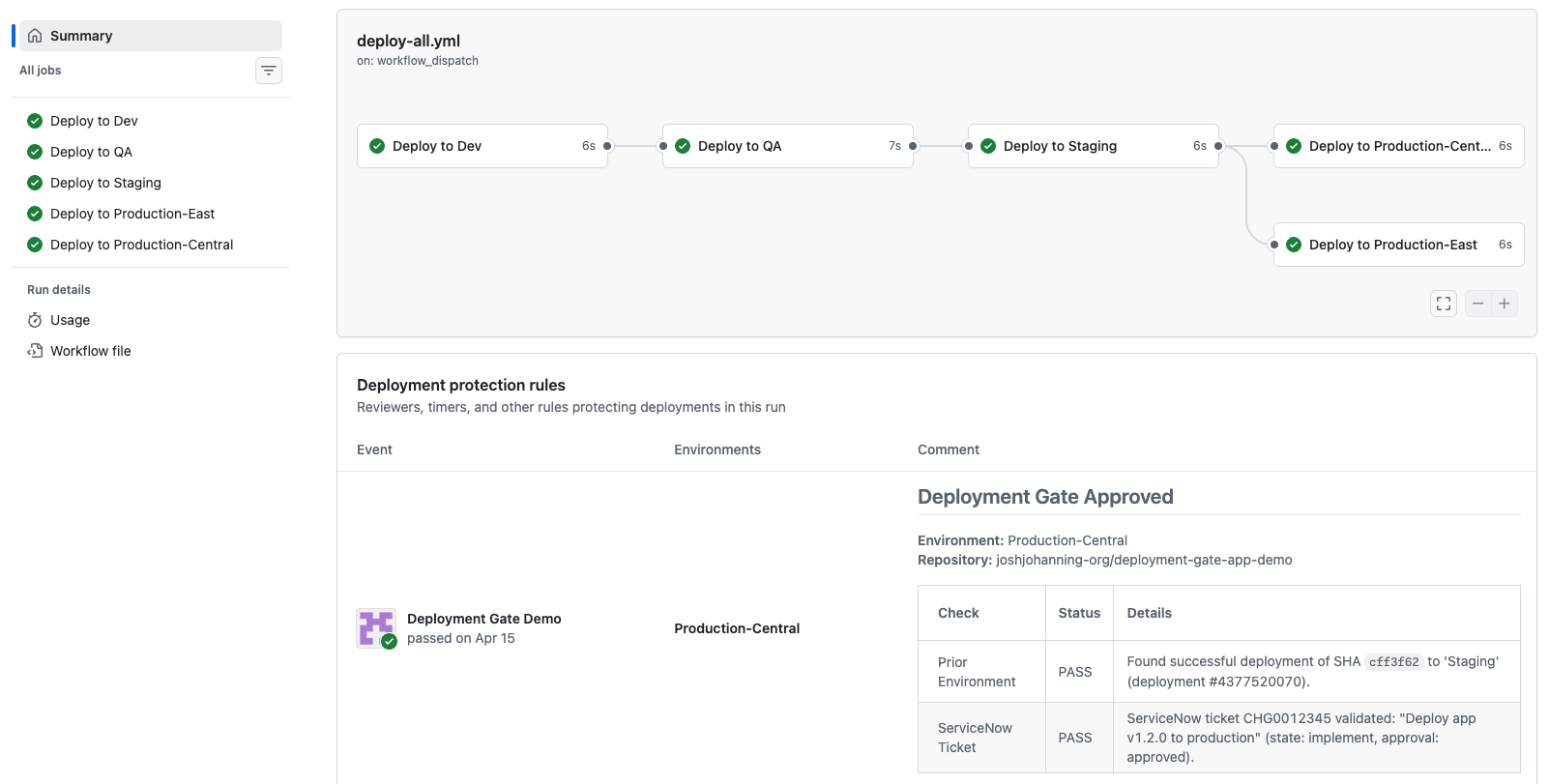
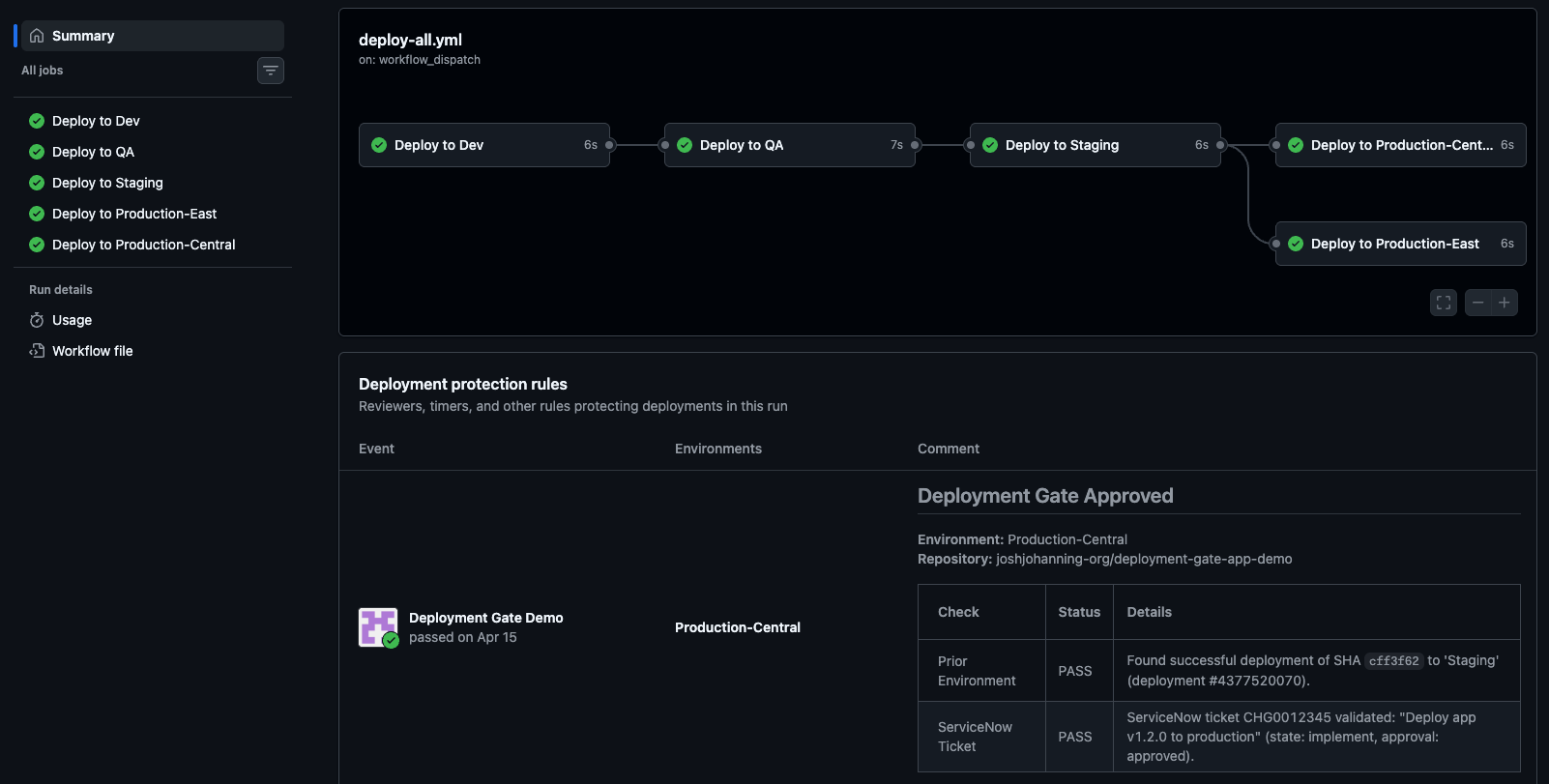 The gate approving a deployment to QA after a successful Dev deployment
And a rejected deployment straight to production with no prior staging and no ticket:
1
2
3
4
5
6
7
8
9
10
11
Deployment Protection Rule - Request Received
  Repository:  joshjohanning-org/deployment-gate-app-demo
  Environment: Production-East
  SHA:         33d9c14

  Check 1: Prior environment 'Staging' deployment...
    FAIL: No deployments found for environment 'Staging'.
  Check 2: ServiceNow change ticket validation...
    FAIL: No ServiceNow change ticket provided.

  Final decision: REJECTED
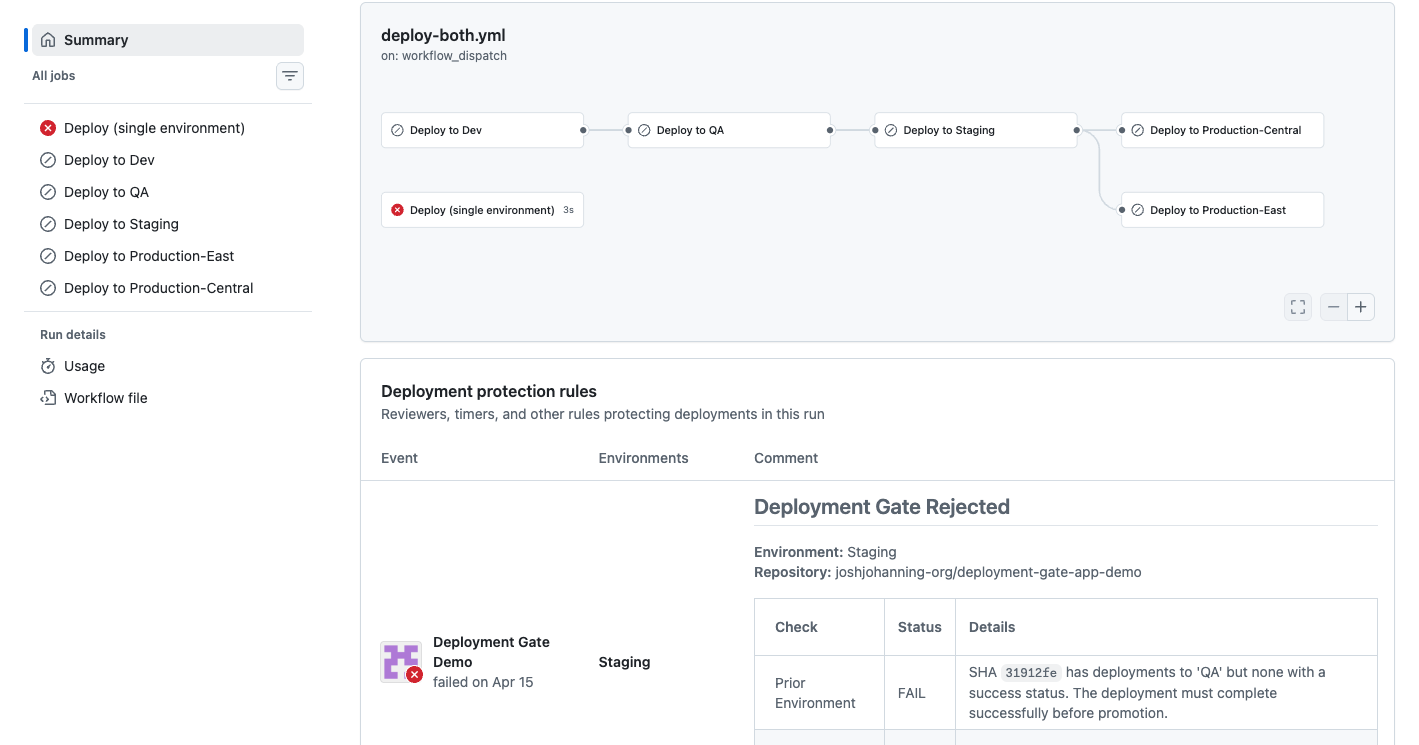
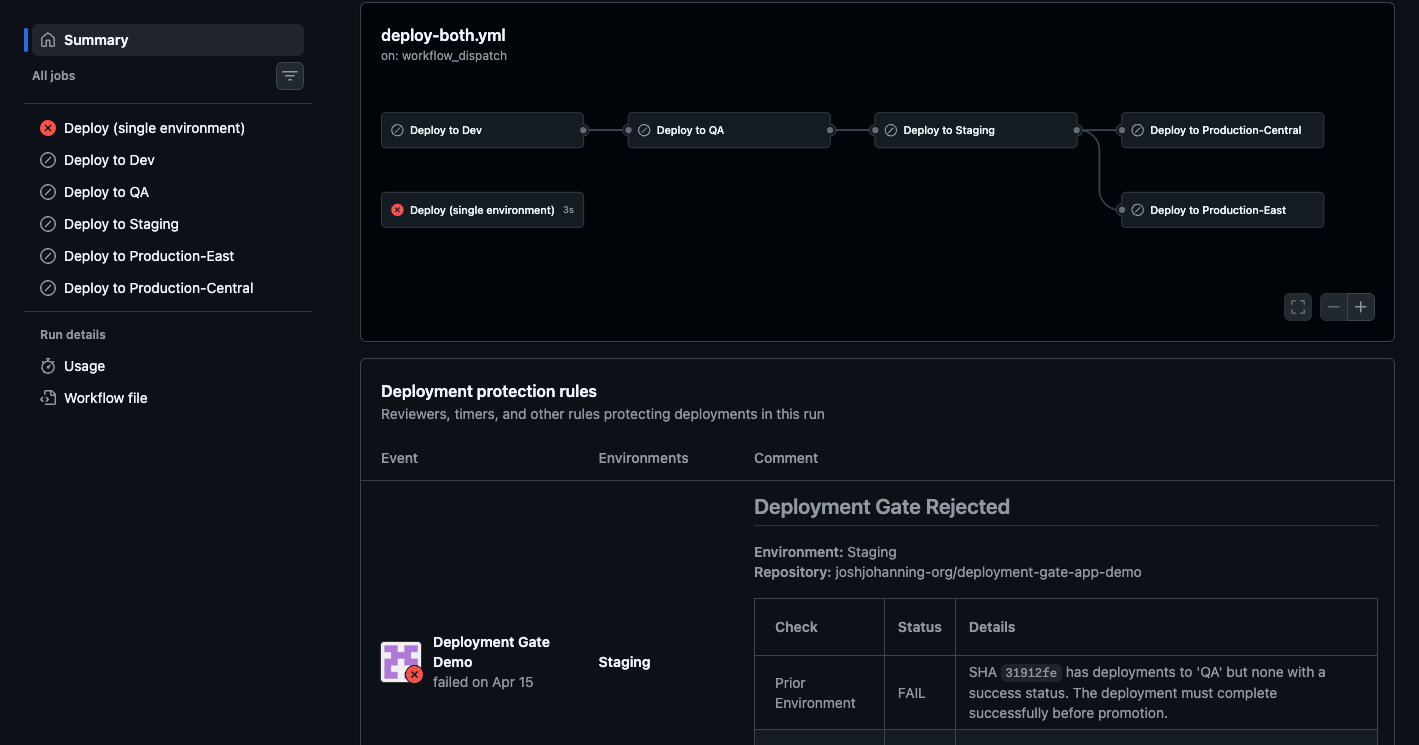 The gate rejecting a production deployment that skipped the prior environment
Implementation Across an Organization
The gate app repo includes a rollout.sh script that creates environments and attaches the gate across repos:
1
2
3
./scripts/rollout.sh --dry-run repo-1 repo-2 repo-3
./scripts/rollout.sh --file priority-repos.txt
./scripts/rollout.sh --all
Because the gate auto-approves unknown environment names, you can install the GitHub App org-wide upfront and only “turn it on” for repos as you attach the protection rule. Start with the highest-priority repos and expand from there.
Forcing Teams to Actually Use Environments
The gate only fires when a workflow uses environment:. A team that skips it isn’t gated, so enforcement has to come from somewhere the team can’t opt out of:
- Environment secrets (most effective). Store the prod deploy credentials as secrets on the
Productionenvironment. A job can’t read them unless it declaresenvironment: Production, so there’s no way to deploy without going through the gate. No environment, no credentials. - OIDC subject claims. Scope your cloud federated trust to the environment (e.g. an Azure federated credential subject of
repo:org/repo:environment:Production, or the equivalent AWS trust policy condition). A job without the environment gets asubclaim that doesn’t match, and the cloud provider refuses to issue credentials. The gate and OIDC reinforce each other. - Cancel non-compliant runs via webhook. A
workflow_run-triggered GitHub App can inspect each deploy workflow and cancel runs that don’t meet your criteria, such as a deployment workflow that never referencesenvironment:. I used this pattern inapproved-actions-enforcer-app, which parses a workflow’suses:actions against an allow list and cancels the run if it finds an unapproved one. The same approach works for enforcingenvironment:usage. - Audit as a backstop. A scheduled job that scans repos for deployment workflows missing
environment:and flags them. Detective rather than preventive, but it catches drift.
Additional Notes
A few nuances I ran into that aren’t obvious from the docs:
- Required reviewers + custom rules run in parallel. Both have to pass. The reviewer can see the gate’s approval/rejection comment while deciding, which is handy
- The gate uses the native Deployments API. GitHub creates those deployment records automatically whenever a job uses
environment:, so there’s no extra work for teams to “register” their deployments
Summary
Custom Deployment Protection Rules are a good fit for “enforce governance without owning the workflows.” You build one gate app, attach it to environments across the org, and every deployment gets validated regardless of which team wrote the workflow, which language they use, or where they deploy to. For orgs with hundreds or thousands of repos where centralized reusable workflows aren’t realistic, this is a practical enforcement mechanism to consider.