How I Maintain My Open Source GitHub Actions
A walkthrough of the tools, workflows, and practices I use to maintain a growing collection of open source JavaScript GitHub Actions
Overview
I maintain a handful of open source JavaScript GitHub Actions. As the number of repos grew, I kept running into the same friction: Dependabot PRs piling up across repos, settings and configuration drifting, and the tedious ceremony of tagging and releasing each action. So I built (and adopted) a set of tools to keep everything in sync and make the release process as painless as possible.
This post walks through the workflow I have settled on - from repository configuration and dependency management to publishing and supply chain security.
The Repository Template
Every action I create starts from the same place: joshjohanning/nodejs-actions-starter-template. It is a GitHub template repository with the full action layout pre-configured:
- ESLint and Prettier for linting and formatting
- Jest for testing with coverage badge generation
- CI workflow that runs lint, test, and build validation on every PR
- A publish workflow powered by
joshjohanning/publish-github-action(more on this below) - Dependabot configuration
- A
TEMPLATE_CHECKLIST_DELETE_ME.mdwith a customization guide
When I click “Use this template,” I get a new repo that already has CI, publishing, and linting ready to go. My goal has been to keep all of my action repos configured as closely as possible - same dev dependencies, similar package.json scripts, same testing structure - so that switching between repos feels seamless.
Keeping Repos in Sync
The template only helps at creation time. Repos drift. A new ESLint rule gets added to one repo but not the others, a Dependabot config is updated in one place, or you decide to enable immutable releases across the board. That is where joshjohanning/bulk-github-repo-settings-sync-action comes in (I wrote a dedicated post on this action if you want the deep dive).
I run this from a dedicated configuration repo, joshjohanning/sync-github-repo-settings, which contains:
- A
repos.ymllisting every repo I manage and any per-repo overrides - Configuration files for Dependabot, rulesets, copilot instructions, gitignore, package.json scripts/engines, and workflow files
- A GitHub Actions workflow that runs the sync action on push to
main
When the workflow runs, it applies settings and opens PRs where file content has changed. Here is a sample of what gets synced:
- Repository settings: squash-only merges, auto-delete branches, immutable releases, code scanning, secret scanning, Dependabot alerts
dependabot.yml: one config per ecosystem (e.g., one for npm-based actions, one for my composite action stragglers).gitignore: a shared base with a marker for repo-specific entries that get preserved- Rulesets: a CI-required-status-checks ruleset applied to
main - Copilot instructions: a shared
.github/copilot-instructions.mdso Copilot understands the repo conventions package.json: syncingscriptsandenginesfields to keep npm commands and Node.js version requirements consistent- Topics: ensuring every action repo has the same set of GitHub topics
- Workflow files: shared CI and publish workflows
The action uses the GitHub API for commits, so PRs created by the sync are signed and verified. In repos.yml, each repo can override any global setting - for example, one repo might need a different Dependabot config or different topics.
An example of a PR created by the sync shows the bot syncing a CI workflow file across repos automatically.
The action supports a
dry-runmode. I setdry-run: ${{ github.event_name == 'pull_request' }}in my workflow so that PRs against the config repo preview what would change without applying anything, and pushes tomainapply the changes for real.
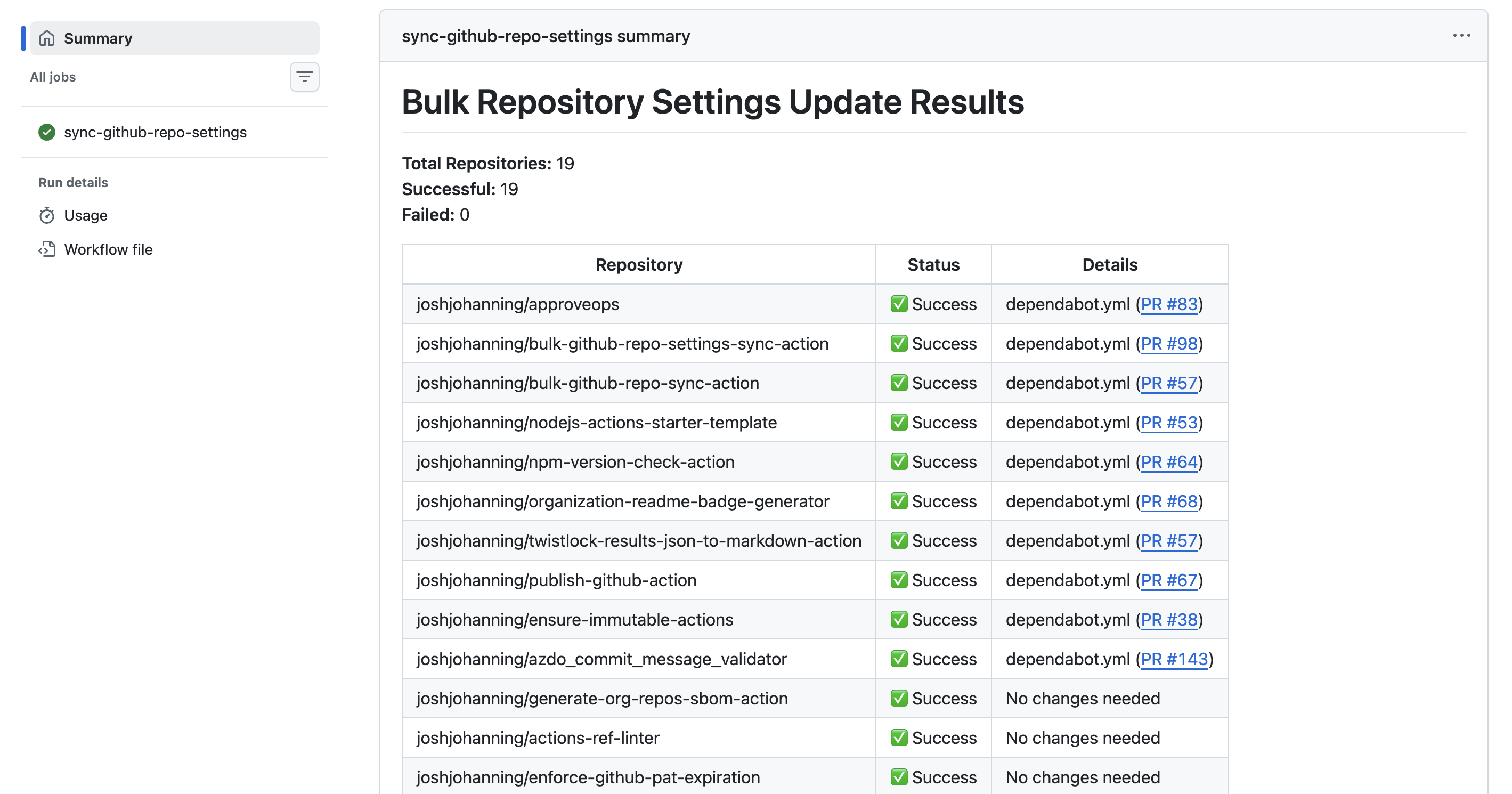
Here is the dry-run output from a PR against the config repo, followed by the applied run after merging to main:
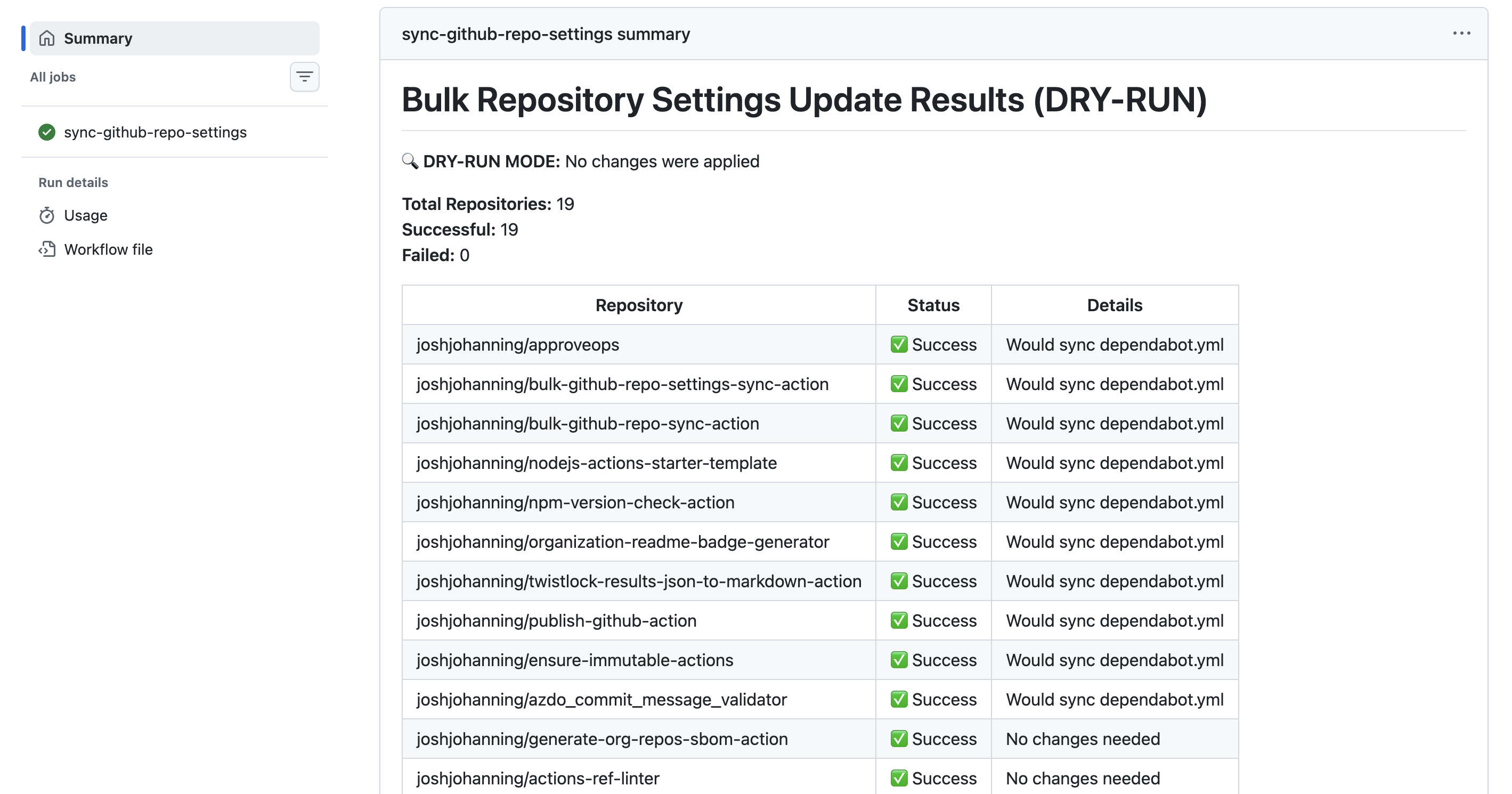
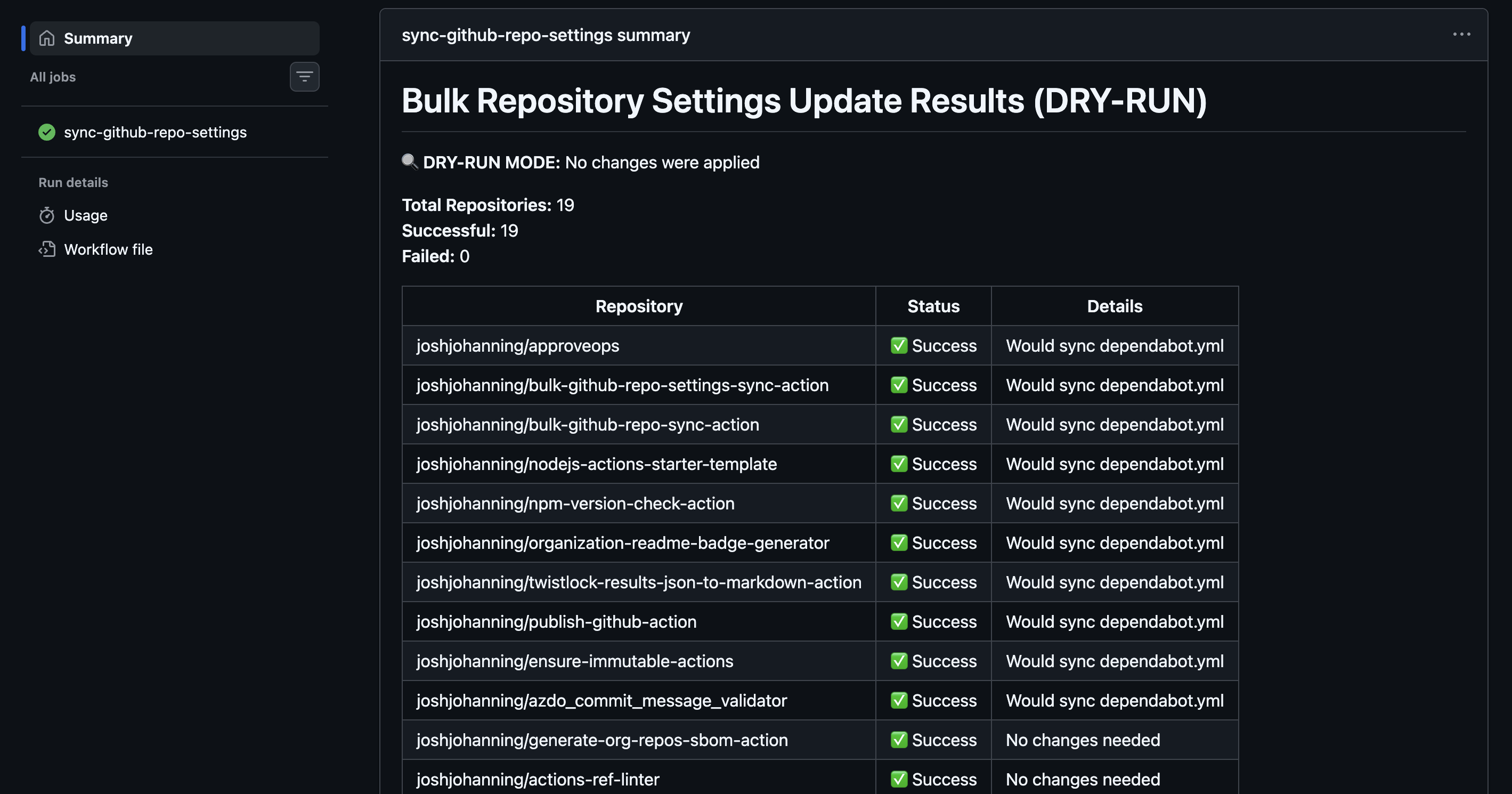 Dry-run mode previews changes without applying them
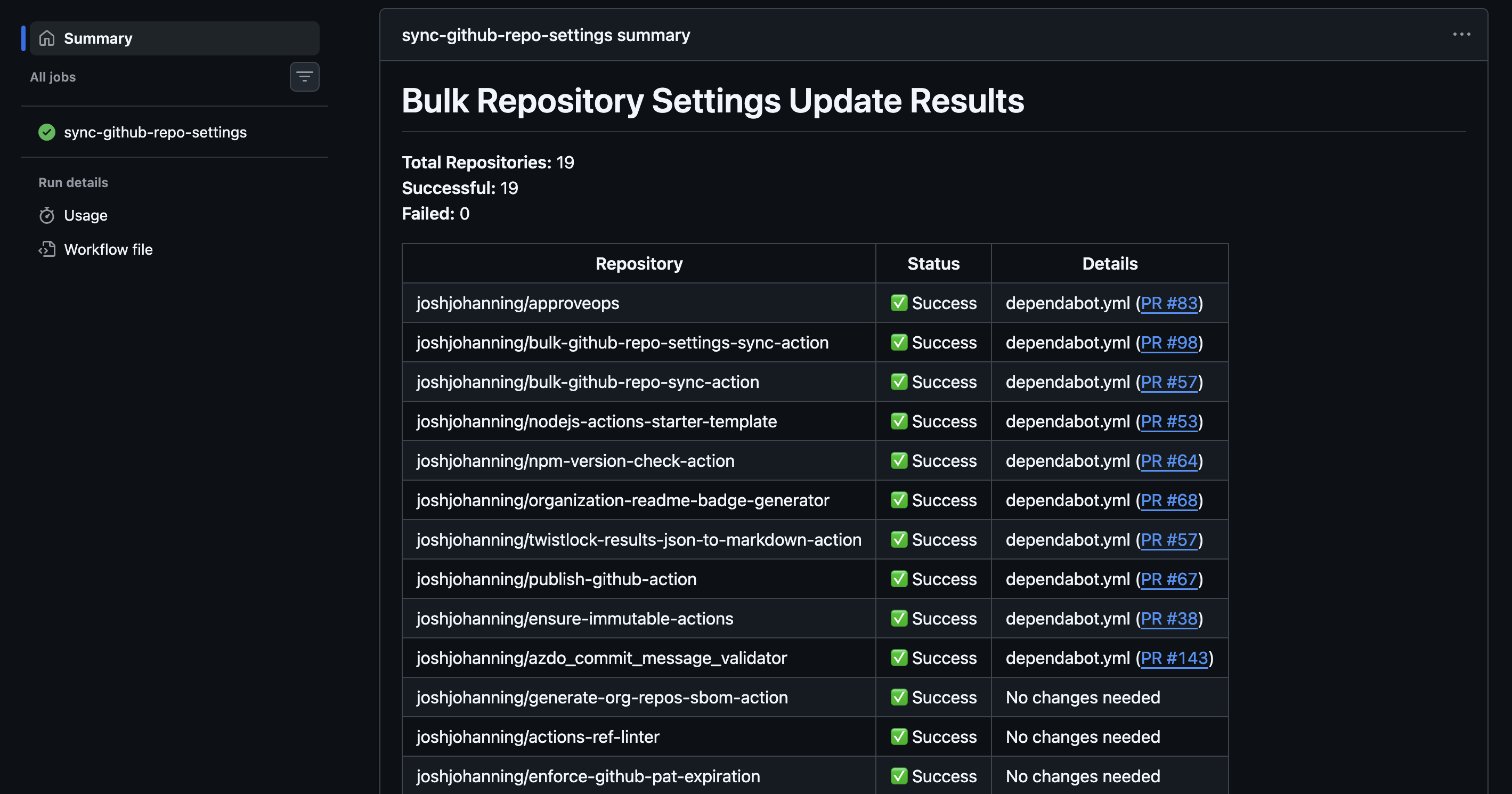 Applied run creates PRs in each repo where files differ
Managing Dependabot PRs
With Dependabot enabled across all my repos, I frequently end up with the same dependency bump PR open in all 10 repos at once. Clicking through each one in the UI is not practical.
I use a script from my github-misc-scripts repo: merge-pull-requests-by-title.sh. It finds and merges matching PRs across repos. You can target repos by owner and filter by topic (multiple --topic flags act as an AND filter):
1
./merge-pull-requests-by-title.sh --owner joshjohanning --topic javascript "chore(deps): bump undici from 6.23.0 to 6.24.1" squash
For dev dependency updates, that is usually enough - merge and move on. Add --no-prompt to skip the per-PR confirmation and merge everything automatically. But for production dependency updates, my CI requires a version bump (more on this in the next section). So, I recently added a --bump-patch-version flag to the script. It clones each matching PR branch, runs npm version patch, commits, and pushes - then I can either merge manually or use --enable-auto-merge to let CI pass and merge automatically:
1
2
3
4
5
# Bump patch version on all matching PR branches
./merge-pull-requests-by-title.sh --owner joshjohanning --topic javascript "chore(deps): bump undici*" --bump-patch-version

# Once CI passes, merge with auto-merge (no confirmation prompt)
./merge-pull-requests-by-title.sh --owner joshjohanning --topic javascript "chore(deps): bump undici*" --bump-patch-version --enable-auto-merge --no-prompt
That
--bump-patch-versionfeature? I used Copilot coding agent to build it. While in bed so I couldn’t forget, I pulled up GitHub mobile and assigned the task in an issue. Copilot opened a PR, and the next morning I reviewed, iterated, and merged it by end of day.
Version Checking in CI
Forgetting to bump the version in package.json before merging a PR is an easy mistake that causes publishing issues downstream. That is why I built joshjohanning/npm-version-check-action and use it in every action’s CI workflow.
It runs on pull requests and validates:
- Did the version change? If source code or production dependencies changed, the version in
package.jsonmust be incremented - Is it a valid increment? The new version must be higher than the latest git tag
- Are
package.jsonandpackage-lock.jsonin sync? Catches mismatches from rebases or manual edits - Did the runtime change? If
action.ymlchanges itsruns.usingvalue (e.g.,node20tonode24), a major version bump is required
The action is smart about what triggers a version check. It uses file-level change detection and dependency tree analysis:
- Code changes (
.js,.tsfiles): always require a version bump - Production dependency changes: require a version bump
- Dev dependency changes: skipped by default (configurable with
include-dev-dependencies: true) - Metadata-only changes in
package.json(description, scripts): no version bump needed
This means Dependabot PRs that only update dev dependencies pass CI without needing a version bump, which is exactly the behavior I want.
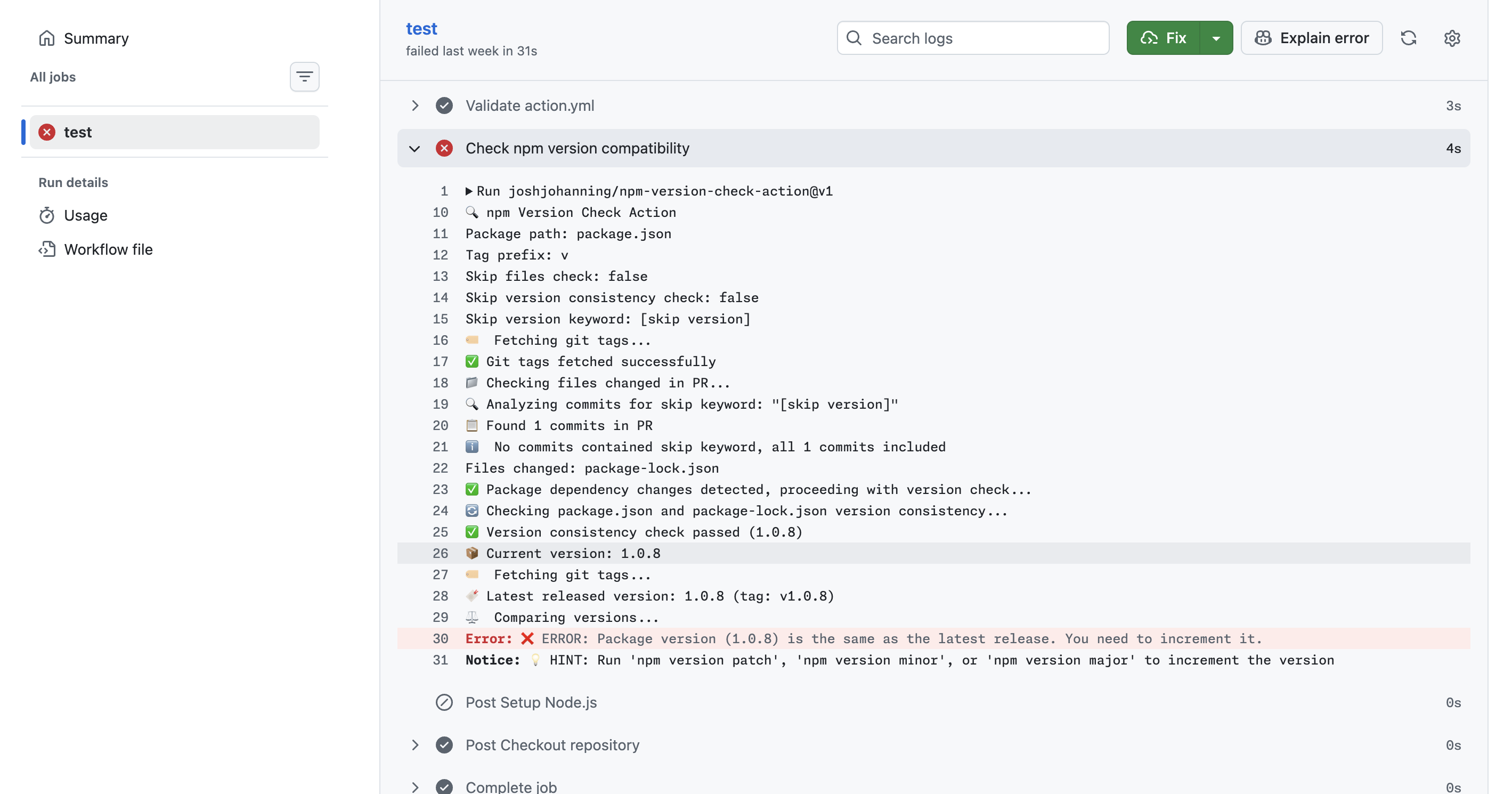
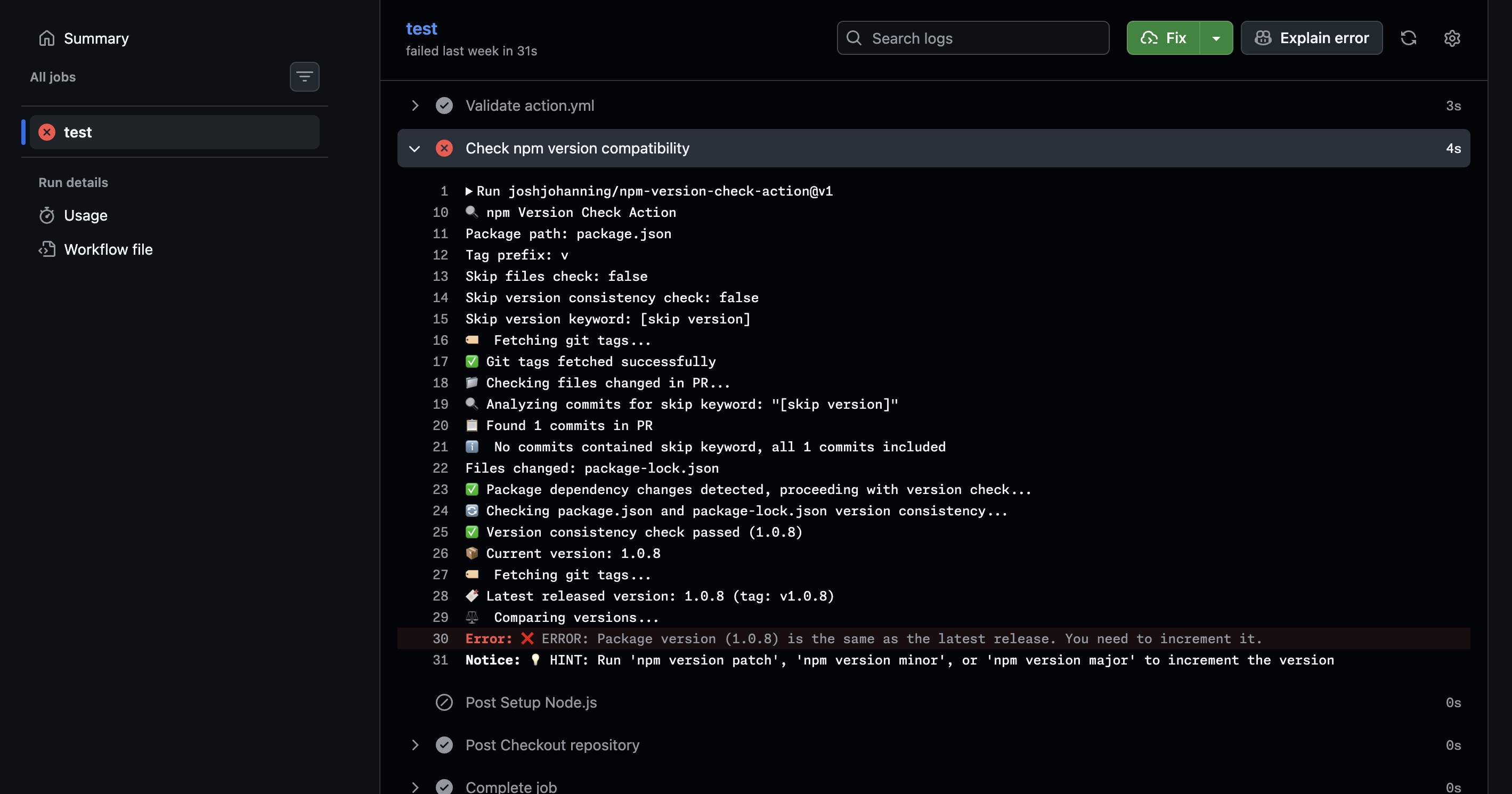 The version check catches when you forget to bump the version
Publishing Releases
Once a PR is merged to main, I need to compile the JavaScript with ncc, push the compiled output to a release tag, and update the major version tag. I use joshjohanning/publish-github-action for this.
The workflow is straightforward:
1
2
3
4
5
6
7
8
9
10
11
12
13
14
15
16
name: Publish GitHub Action
on:
  push:
    branches: [main]

jobs:
  publish:
    runs-on: ubuntu-latest
    permissions:
      contents: write
    steps:
      - uses: actions/checkout@v6
      - uses: joshjohanning/publish-github-action@v3
        with:
          github_token: ${{ secrets.GITHUB_TOKEN }}
          npm_package_command: npm run package
The action:
- Installs production dependencies
- Runs
npm run package(which callsncc, a bundler that compiles Node.js modules into a single file) to bundle everything intodist/ - Pushes the compiled output to a release tag (e.g.,
v1.2.3) - Updates the major version tag (e.g.,
v1) to point to the new release - Creates a GitHub release
I do not push the compiled dist/ folder back to the default branch. Some maintainers do this, but I find it messy - it creates noisy diffs and merge conflicts. Instead, the compiled code only lives on the release tags. People shouldn’t be referencing @main in their workflows anyway - they should be pinning to a specific version tag (e.g., @v1, @v1.2.3, or a commit SHA) to ensure stability.
You’ll notice my examples use major version tags like
@v3rather than commit SHAs. Pinning to a SHA or a known immutable release tag is the safest option, but major version tags are more convenient and readable. It comes down to your risk tolerance.
The action also supports create_release_as_draft: true, which is useful when you have immutable releases enabled (since you cannot modify a release after publishing). This lets you review the release before it goes live.
The publish action uses the GitHub API for commits when possible, so the commits on the release tag are verified (signed by GitHub).
Supply Chain Security
Security is a big part of how I maintain these actions. Here is what I do:
No pull_request_target
None of my actions use the pull_request_target event. This event runs in the context of the base branch and has access to secrets, making it a common vector for supply chain attacks on public repos. I use pull_request exclusively.
Minimal Permissions
The only credential my workflows use is GITHUB_TOKEN (via secrets.GITHUB_TOKEN), and I always scope permissions down explicitly. No PATs, no broad repo scope tokens sitting in secrets.
Immutable Releases
I enable immutable releases on every action repository. This means once a release is published, it cannot be modified or deleted - preventing an attacker (or even a compromised account) from force-pushing the tag after users have pinned to that version.
The bulk-github-repo-settings-sync-action enables this across all repos automatically via the immutable-releases: true setting.
I also built joshjohanning/ensure-immutable-actions to help verify this. It scans your workflow files and reports whether the third-party actions you reference are using immutable releases. You can run it in CI to fail the build if any mutable actions are detected:
1
2
- name: Ensure immutable actions
  uses: joshjohanning/ensure-immutable-actions@v2
It generates a report organized by workflow, showing which actions are first-party, which have immutable releases, and which are mutable.
Immutable releases are currently the best mechanism to prove a tag won’t be moved or deleted after publishing. However, they don’t guarantee that future releases will also be immutable - a repo owner can disable the setting at any time. So while you can verify a specific version is immutable today, you can’t enforce that the next release will be.
Upgrading the Node.js Runtime
GitHub Actions recently announced the deprecation of the Node.js 20 runtime for actions runners. All JavaScript actions need to migrate to node24.
For my actions, this means updating runs.using in action.yml from node20 to node24, bumping the major version (since npm-version-check-action enforces this), and updating CI workflows and documentation.
I created a Copilot agent for this upgrade process and contributed it to the github/awesome-copilot repository. The agent handles the full lifecycle:
- Updating
action.yml - Running
npm version major - Updating CI workflow Node.js versions
- Updating documentation references
- Scanning for Node.js API incompatibilities
- Generating commit messages and PR descriptions
I used this agent and Copilot CLI to upgrade all of my actions from node20 to node24.
The Full Picture
Here is how it all fits together:
- Create a new action from the
nodejs-actions-starter-template - Add it to
repos.ymlin thesync-github-repo-settingsrepo to start receiving synced settings, Dependabot config, rulesets, copilot instructions, etc. - Develop with CI feedback from
npm-version-check-actionensuring versions are bumped correctly - Merge to
mainandpublish-github-actionhandles tagging, compiling, and releasing - Dependabot PRs roll in; use
merge-pull-requests-by-title.shto handle them in bulk (with--bump-patch-versionfor prod deps) - Supply chain security is enforced via immutable releases,
ensure-immutable-actions, nopull_request_target, and scoped-downGITHUB_TOKENpermissions - Runtime upgrades and other heavy lifts are handled using Copilot CLI and/or custom agents for consistent, repeatable migrations
Summary
Maintaining open source actions at scale is less about writing the action code and more about the infrastructure around it. The combination of a template repo, a centralized settings sync, bulk Dependabot PR management, automated version checking, and a one-step publish workflow means I can spend my time on features rather than maintenance toil.
If you maintain multiple GitHub Actions (or really any set of repos that should stay in sync), I’d encourage you to implement something similar. The upfront investment pays off quickly once you have more than a couple of repos to manage.
Here are the relevant repos and tools:
| Tool | Purpose |
|---|---|
nodejs-actions-starter-template | Template repo for new JavaScript actions |
bulk-github-repo-settings-sync-action | Sync settings, files, and configs across repos |
sync-github-repo-settings | My configuration repo that drives the sync |
npm-version-check-action | CI check for version bumps in PRs |
publish-github-action | Compile and release JavaScript actions |
ensure-immutable-actions | Verify third-party actions use immutable releases |
merge-pull-requests-by-title.sh | Bulk merge Dependabot PRs across repos |
If you have suggestions for improving my workflows or tools I should check out, I’d love to hear about them - please leave a comment! ✨