GitHub Actions OIDC: Using Repository Custom Properties for Attribute-Based Access Control
How to include repository custom properties in GitHub Actions OIDC tokens to enable attribute-based access control to cloud environments
Overview
Managing OIDC trust policies on a per-repo basis doesn’t scale. If you have hundreds of repositories that need to access cloud resources, creating and maintaining individual federated credentials for each one is painful. Even with claims matching expressions and wildcards, you’re still matching on things like repo names or branches.
GitHub Actions OIDC tokens now support repository custom properties as claims. This lets you shift from “which repo is this?” to “what kind of repo is this?” - your governance metadata flows directly into your cloud provider’s trust policies. Tag a repo with team: platform or data_classification: strict, and your OIDC policies just work.
Previously, customizing OIDC claims meant calling the REST API (or using the gh oidc-sub extension) for each individual repository. Alongside custom properties, GitHub also shipped a new OIDC Configuration settings page that lets you manage both the subject claim template and custom property claims from a single UI - no API calls needed. With custom properties, you configure which ones to include in OIDC tokens once at the org level, and every repo with that property set automatically gets the right claims.
This feature is currently in public preview and may change.
How It Works
Organization and enterprise admins can select which custom properties to include in OIDC tokens. Once a property is added, every repository that has a value set for that property will automatically include it in its OIDC tokens, prefixed with repo_property_.
For example, if you have an org-level custom property called team and a repo has it set to platform, the OIDC token for that repo’s workflows would include:
1
2
3
4
5
6
7
{
  "sub": "repo:my-org/my-repo:ref:refs/heads/main",
  "aud": "https://github.com/my-org",
  "repository": "my-org/my-repo",
  "repo_property_team": "platform",
  "repo_property_data_classification": "strict"
}
New repos automatically inherit the right access policies based on their properties - no per-repo credential updates or workflow changes needed.
Setting Up Custom Properties
Before you can use custom properties in OIDC tokens, you need to define them at the org (or enterprise) level and assign values to your repos.
Creating Org-Level Custom Properties
- In your GitHub organization, go to Settings > Custom properties
- Click New property
- Give it a name (e.g.,
team,data_classification,cost-center) and choose the type (string, single select, multi select, or true/false) - Optionally set a default value and whether it’s required
Assigning Values to Repositories
You can set custom property values on repos individually through the repo’s settings, or in bulk from the org’s Repositories page by selecting multiple repos and using the Set properties option.
Custom properties are only available for GitHub organizations (not personal accounts) and must be configured at the organization or enterprise level.
Adding Custom Properties to OIDC Tokens
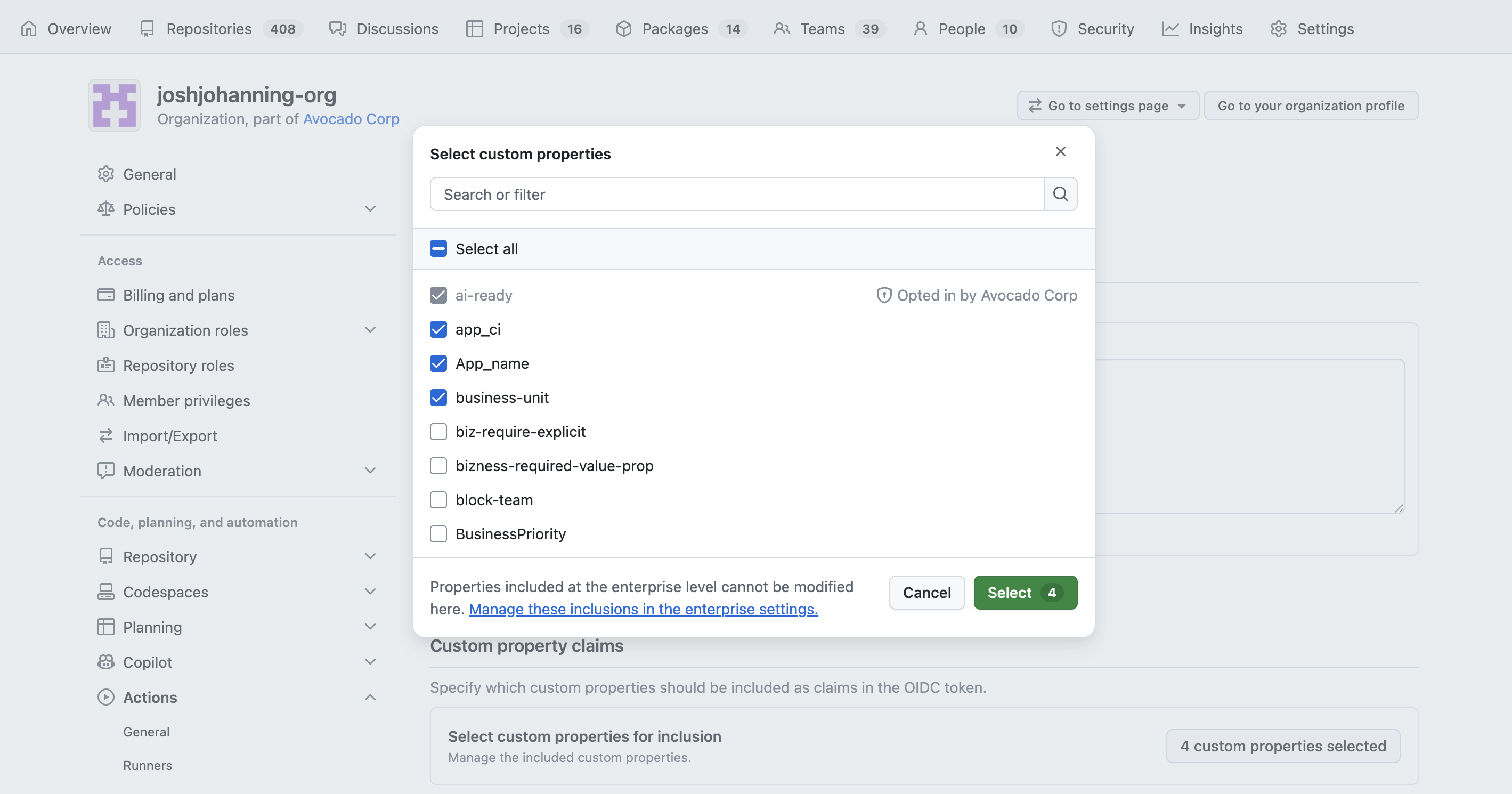
Once your custom properties are defined and assigned, you need to explicitly opt them into OIDC tokens. This is a separate step - properties don’t show up in tokens by default.
Using the Settings UI
The new OIDC Configuration page lets you manage both the subject claim template and custom property claims from a single page:
- Navigate to your organization’s Settings > Actions > General
- Scroll down to the OIDC Configuration section
- Under Subject claim, you can customize the subject claim template (e.g.,
repo, context, ref) - this replaces having to use the API orgh oidc-subextension - Under Custom property claims, click to select which custom properties to include in OIDC tokens
- Save
The enterprise-level OIDC Configuration page only supports managing custom property claims (and the issuer claim) - the subject claim template is configured at the organization level.
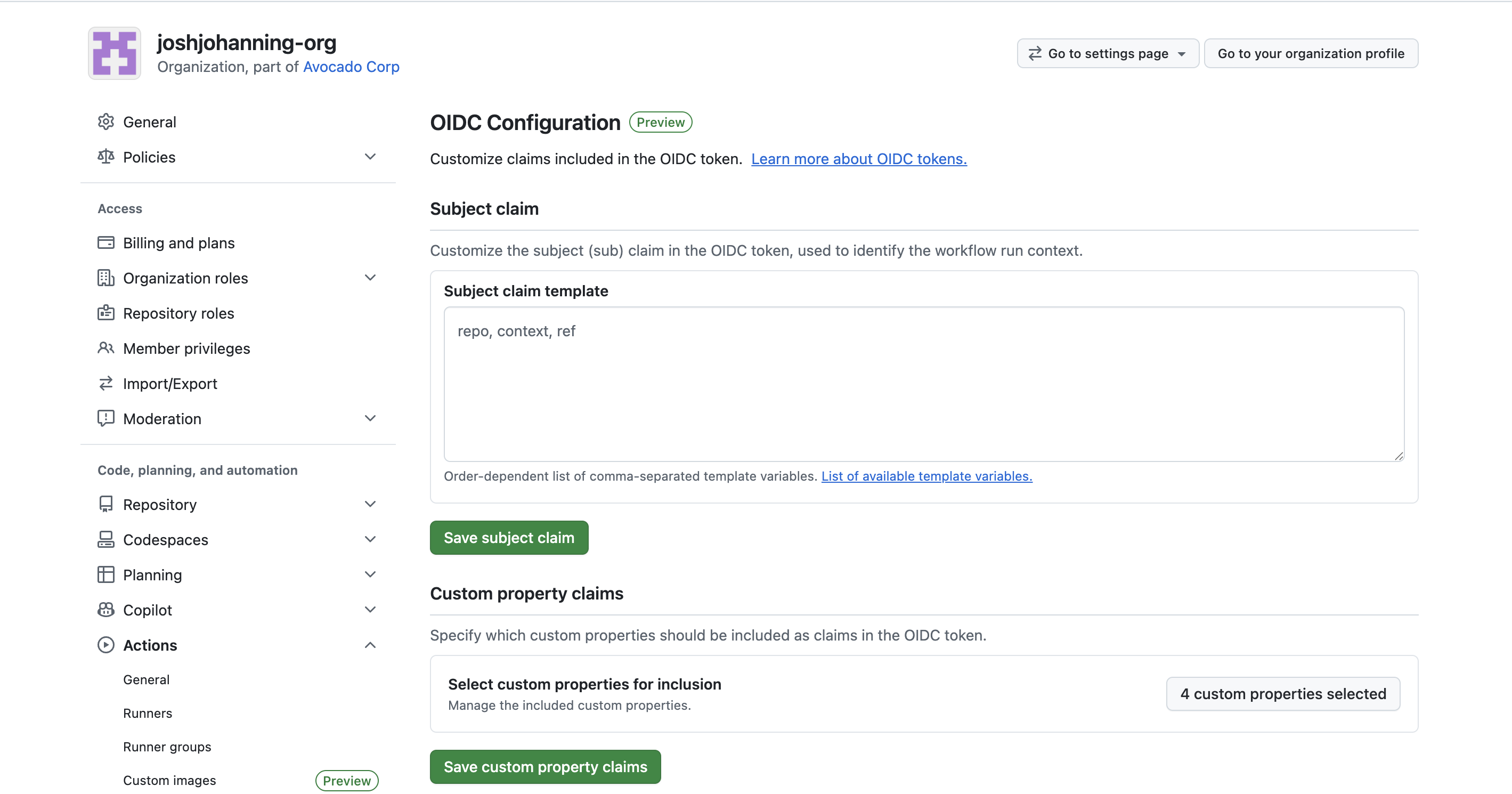
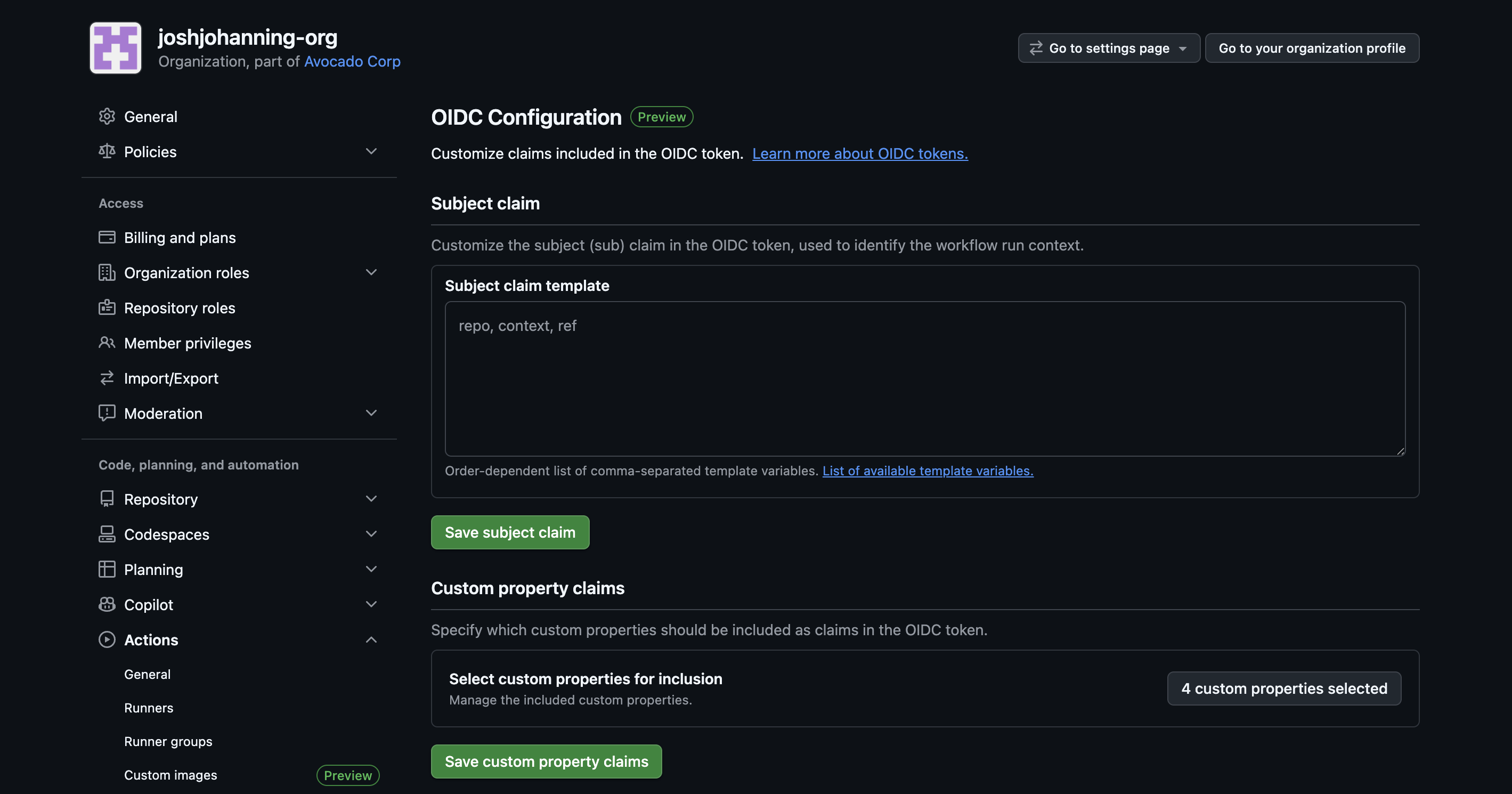 The new OIDC Configuration page - configure custom property claims and the subject claim template in one place
Using the REST API
You can also add custom properties to OIDC tokens via the REST API. Note that properties are added one at a time:
1
2
3
4
5
curl -L -X POST \
  -H "Authorization: Bearer $GH_TOKEN" \
  -H "Accept: application/vnd.github+json" \
  https://api.github.com/orgs/{org}/actions/oidc/customization/properties/repo \
  -d '{"custom_property_name": "team"}'
Verifying the Token
Before configuring your cloud provider, it’s worth verifying that the custom properties actually show up in the OIDC token. You can debug this with the actions-oidc-debugger action or by printing the token manually (I covered both approaches in my reusable workflows OIDC post).
You should see your custom properties in the token payload:
1
2
3
4
5
6
{
  "sub": "repo:my-org/my-repo:ref:refs/heads/main",
  "repository": "my-org/my-repo",
  "repo_property_team": "platform",
  "repo_property_data_classification": "strict"
}
If a repository doesn’t have a value set for a custom property that’s been added to the OIDC configuration, that property simply won’t appear in the token - it won’t be empty or null.
Matching on Custom Properties in Azure
Once your tokens include custom properties, you can use the repo_property_* claims in Azure’s claims matching expressions to match directly on custom property claims:
1
claims['repo_property_data_classification'] == 'strict'
Or combine them with other claims for defense in depth:
1
claims['repo_property_team'] == 'platform' && claims['sub'] matches 'repo:my-org/*:ref:refs/heads/main'
This means you can create a single federated credential that grants access to any repo owned by the platform team, but only from the main branch. No need to list repos individually.
Including Custom Properties in the Subject Claim
Some cloud providers, like AWS, can only match on the sub claim, not on arbitrary claims. You can include custom properties directly in the subject claim by adding them to the include_claim_keys configuration. When using the include_claim_keys API, reference the full claim name as it appears in the token (with the repo_property_ prefix):
1
2
3
4
5
{
  "include_claim_keys": [
    "repo_property_team"
  ]
}
This produces a subject like:
1
repo_property_team:platform
You can combine this with other claims too:
1
2
3
4
5
6
{
  "include_claim_keys": [
    "repository_owner_id",
    "repo_property_data_classification"
  ]
}
Which gives you:
1
repository_owner_id:106885989:repo_property_data_classification:strict
If you’re using name-based identifiers in your subject claim (like org or repo names), consider using
repository_owner_idandrepository_idinstead to protect against rename/name-squatting attacks.
Summary
Custom properties in OIDC tokens are great because your governance metadata now flows automatically into cloud access policies. New repos get the right access just by setting the right properties - no federated credential changes, no API customization requirement, no tickets to the platform team. Combined with claims matching expressions and reusable workflows, this makes managing OIDC access at scale a much more complete story! ✨